Paul Smith
October 2026 - Mator Magic
About the Image(s)
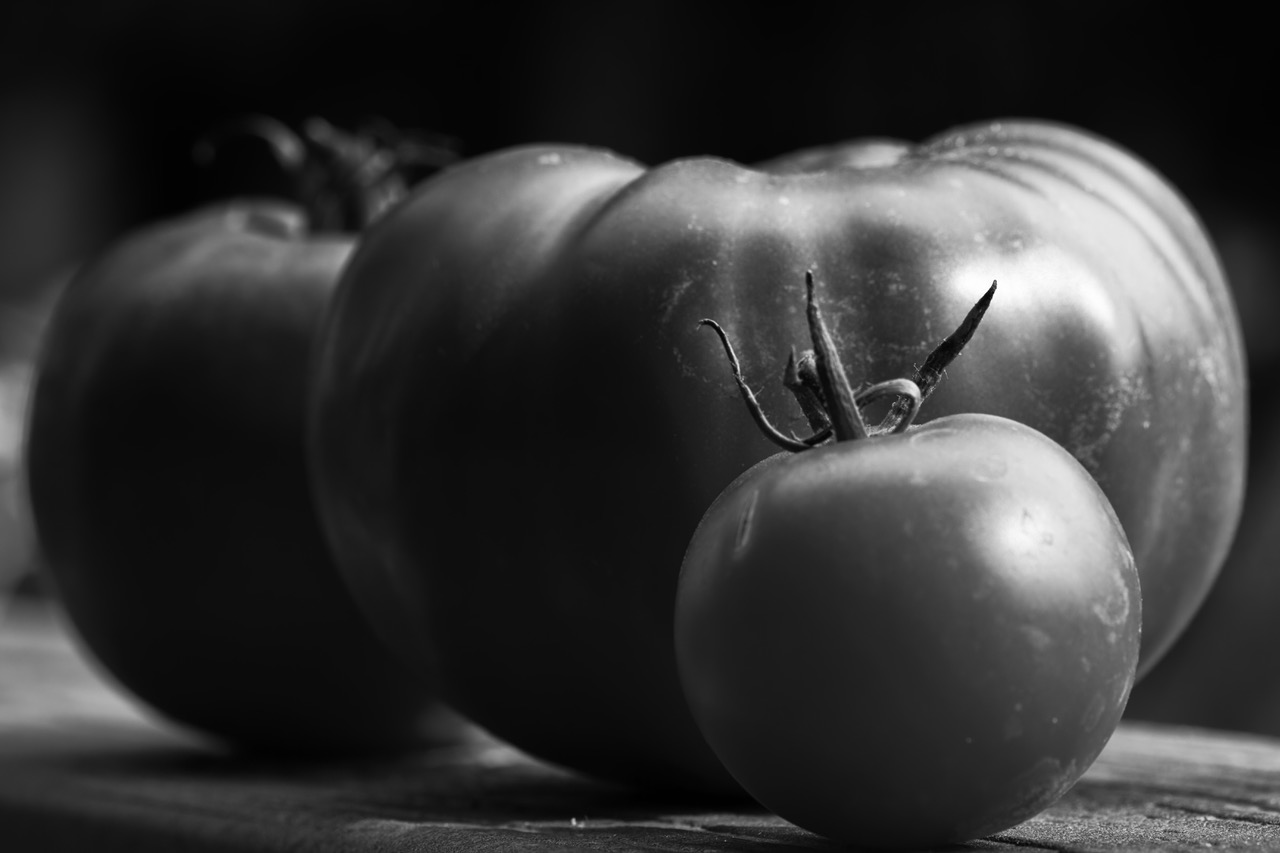
We have finally produced a Tomato crop. Here is evidence
Canon 90 D, Canon Macro 100mm EF, NIK conversion to B/W, “Push process”, handheld
11 comments posted
Classic looking image. Very nice. Also congratulations on the tomato crop. One thing that grabs my attention is the bright spot on the left. Consider darkening down that area. I would not crop to get rid of the bright spot because you would lose part of the third tomato. Excellent subject for a mono shot. Posted: 10/05/2026 20:03:18
I'm not sure I know how to do that..."selectively darkening that area" Posted: 10/05/2026 21:01:53
If I was trying that in Lightroom Classic or Camera Raw, I would create a mask and use a brush to select the brighter area a would reduce the whites first and the reduce the exposure (just a little). You could also try a linear gradient mask and do the same. It will not require a lot to tone it down. A darker vignette might also work. Posted: 10/06/2026 10:04:39
Excellent tutoring. Thank you, Bob. Posted: 10/06/2026 12:25:53
There are always lots of ways to get things done in LR/PS. I keep trying until one works! Posted: 10/06/2026 14:18:27
Lovely window light show with strong DOF and great conversion. Our crop this year was not that great but we did get some. Looking at your image, your focal plain is just between the front and second tomato which has given this pleasing soft feel to the image. Bet you they tasted good. Posted: 10/11/2026 10:15:51
Indeed, and they continue to taste good! Thanks for your comments. Posted: 10/11/2026 16:44:49
Interesting still life Paul. I like the simple layout you created - little to large and light to dark.
As has been said, there is no one way to select areas in Lrm masking. I would use the Luminosity feature - new mask with the broad are to left marked with say a linear grad, then find just the bright areas of that area by right clicking the mask box, select Intersect with and choose luminosity (using the sector to click a bright area). There's a refinement bar top right I think - then darken the bright area (the area to far right could also be done). This intersecting 2 masking features to select a wee area is very useful - colour is one use. Good luck! Posted: 10/15/2026 08:41:33
As has been said, there is no one way to select areas in Lrm masking. I would use the Luminosity feature - new mask with the broad are to left marked with say a linear grad, then find just the bright areas of that area by right clicking the mask box, select Intersect with and choose luminosity (using the sector to click a bright area). There's a refinement bar top right I think - then darken the bright area (the area to far right could also be done). This intersecting 2 masking features to select a wee area is very useful - colour is one use. Good luck! Posted: 10/15/2026 08:41:33
Well done. Good idea to have 3 elements (tomatoes). The first two coud have been enough to take a picture, but the third one complete the composition.
Nice stem of the tomato in the foreground. Well lighted. Posted: 10/15/2026 14:06:40
Nice stem of the tomato in the foreground. Well lighted. Posted: 10/15/2026 14:06:40
Thank you Posted: 10/15/2026 19:39:13
Paul, lovely image of a taste of your crop! I like the composition with three and at a diagonal with the third out of focus. The stem of the first one adds to it. The light on the left does not bother me as my eye travels from the first tomato to the background. The lighting works well. Nice image! And tasty too! Posted: 10/17/2026 14:10:17