Randy Bell
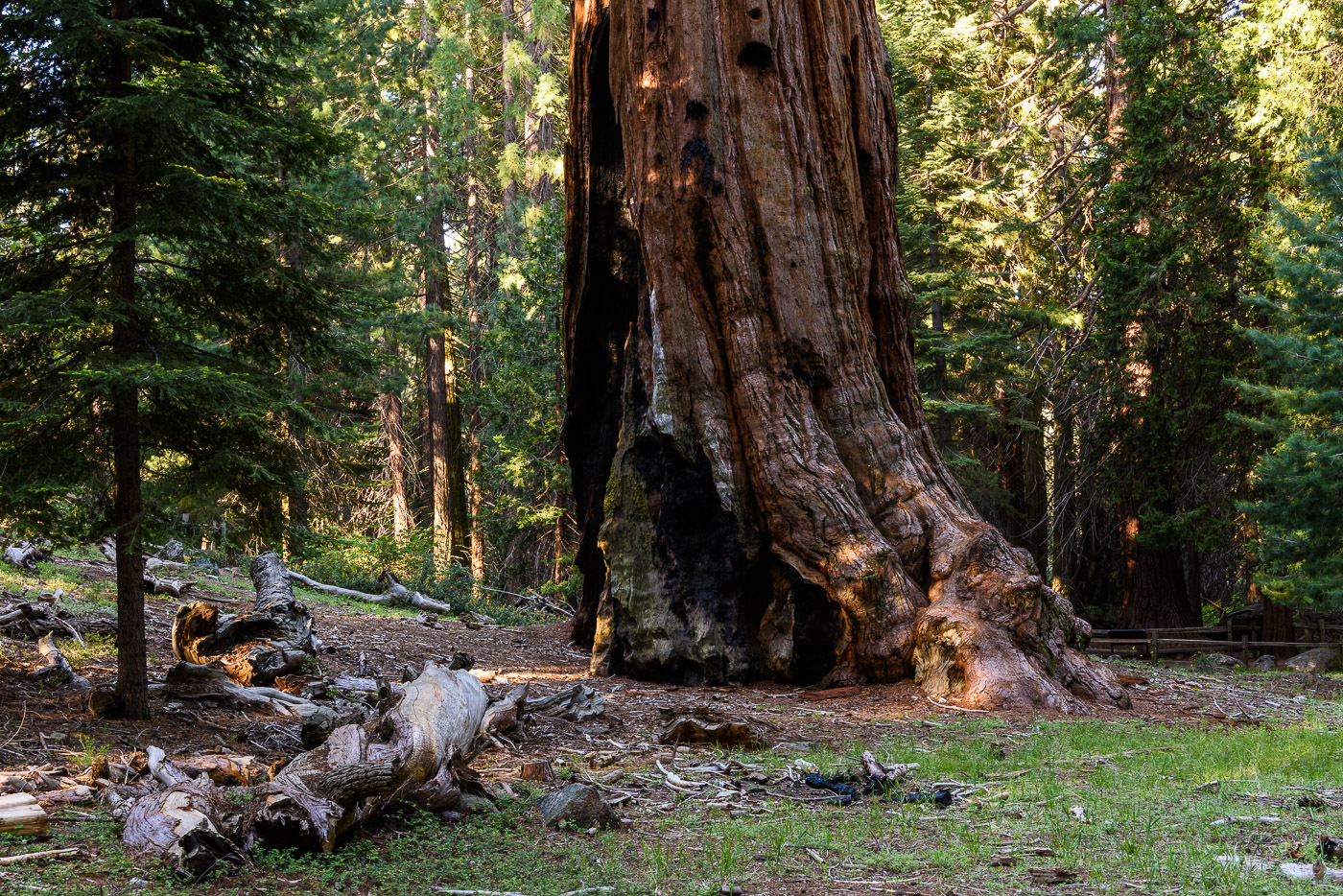
October 2026 - General Grant Tree
About the Image(s)
In May, I went with my local camera club to Kings Canyon National Park. I have had difficulties
in the past getting photos I liked in this park, mainly due to the enormous size of these giant
sequoia trees. I never seem to get the right point of view to capture them very well. This trip, I
tried to take more photos straight on with the trees to get a different perspective, to show the
difference in size between these trees and other trees nearby.
I would welcome your thoughts and/or suggestions on any improvements. Later in the day, I
used a longer lens and was happier with my results with that lens. I used my Nikon D810 on a
tripod with a 24-70mm lens at 40mm, f/11, 1/2 sec, ISO 100.
15 comments posted
Hi Randy -
I share your frustration about photos of trees - especially enormous ones. It's tough to capture the magnitude of scale along with the intricacies of the bark and branch formation. That said, your photo helps with the tree to the left of the massive trunk of General Grant. I might lighten shadows a touch to give a glimpse of the concave section of the base.
For fun I just cropped down to the base - which to me resembles an elephant foot to some degree.
Thank you! Posted: 10/04/2026 11:47:31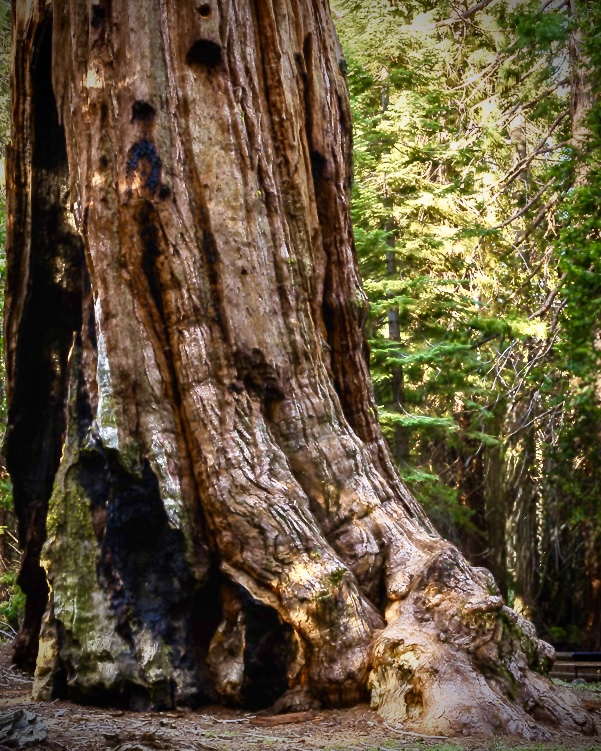
I share your frustration about photos of trees - especially enormous ones. It's tough to capture the magnitude of scale along with the intricacies of the bark and branch formation. That said, your photo helps with the tree to the left of the massive trunk of General Grant. I might lighten shadows a touch to give a glimpse of the concave section of the base.
For fun I just cropped down to the base - which to me resembles an elephant foot to some degree.
Thank you! Posted: 10/04/2026 11:47:31
Thank you, Doug. I like your idea of lightening the shadows a bit. It helps bring out the bark of the tree. My version was too dark. I've also played with crops similar to yours on other photos of these trees. Posted: 10/11/2026 20:01:02
Randy,
The main problem with your image is that the viewer's eye is drawn to the lighter areas in the photo .... the trees in the background. The big tree gets lost in the dark. I did a bit of masking and added light to draw the viewer's attention to the big tree. Posted: 10/04/2026 16:23:41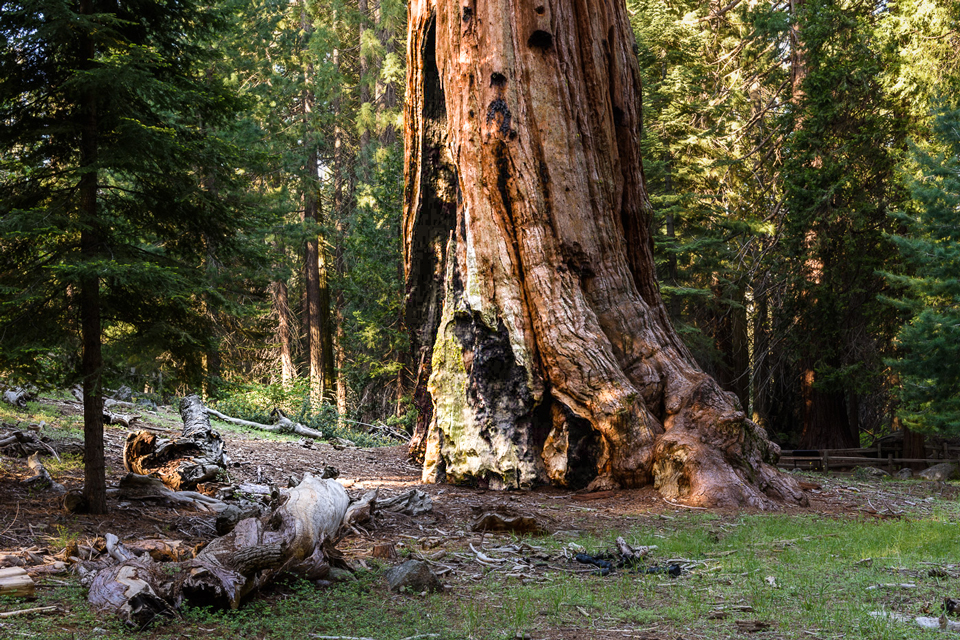
The main problem with your image is that the viewer's eye is drawn to the lighter areas in the photo .... the trees in the background. The big tree gets lost in the dark. I did a bit of masking and added light to draw the viewer's attention to the big tree. Posted: 10/04/2026 16:23:41
Thanks for your suggestions, Bruce. I agree the tree is too dark in my image. Don't know why I didn't see it earlier. Your edits help the image. Thanks. Posted: 10/11/2026 20:07:10
Posted: 10/04/2026 23:42:07
Hi Randy,
This is a toughie. I downloaded your image to try different crops. I did not find one I like better. but I did find an animal face in the trunk :) Posted: 10/04/2026 23:44:20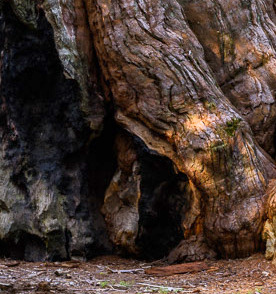
This is a toughie. I downloaded your image to try different crops. I did not find one I like better. but I did find an animal face in the trunk :) Posted: 10/04/2026 23:44:20
Thanks, Sylvia. It's amazing the different animals that can be found in the bark of these trees :) Posted: 10/11/2026 20:12:00
Randy, General Grant Tree is huge! I see your challenge. You captured the enormity of the trunk and detail of the bark nicely. To focus on size I experimented with cropping to highlight just two trees. I like the color and detail of your composition.
Posted: 10/09/2026 20:55:18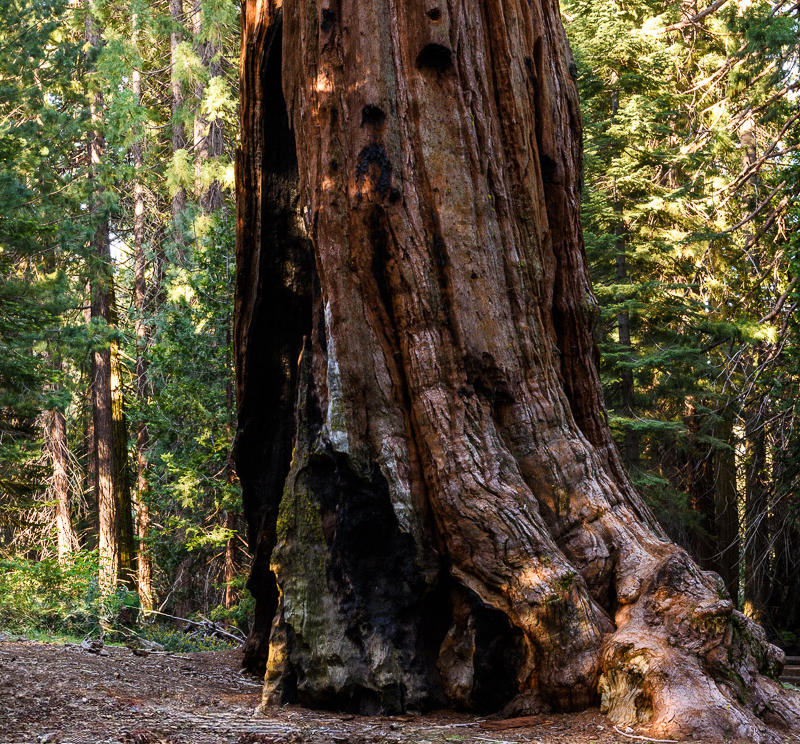
Posted: 10/09/2026 20:55:18
Thank you, Yvonne. I like your crop suggestion and have tried that on other trees in the past. I will revisit some of the other photos from this trip to see if different crops help. Thanks. Posted: 10/11/2026 20:25:13
Randy, these old trees are really unique and difficult to photograph. If you want to show their enormous size, you could try photographing from the bottom up. But you probably already know that. The General Grant Tree reminded me of my vacation in the USA a long time ago. I visited Yosemite National Park and was overwhelmed by the huge sequoias.
Thank you very much for these lovely memories.
I really like your photo. The idea of letting other trees frame the tree on the left and right is a good idea to show its size.
Your foreground leads to the tree, my eyes follow along the trunk upwards, and I can somewhat imagine how far the tree reaches into the sky.
Since you asked for thoughts and ideas, I made a few edits to your photo.
The question for me was, do you really need the trees on the left and right edges of the photo.
I tried out a square crop. This way, the cut-off deadwood leads directly to the tree. With Photoshop, I darkened the lower part a bit, used the dodge tool to lighten dark spots on the tree, set a black point in the levels adjustment, and sharpened the image by 15%. I hope you like my idea too. Posted: 10/11/2026 09:52:28
Thank you very much for these lovely memories.
I really like your photo. The idea of letting other trees frame the tree on the left and right is a good idea to show its size.
Your foreground leads to the tree, my eyes follow along the trunk upwards, and I can somewhat imagine how far the tree reaches into the sky.
Since you asked for thoughts and ideas, I made a few edits to your photo.
The question for me was, do you really need the trees on the left and right edges of the photo.
I tried out a square crop. This way, the cut-off deadwood leads directly to the tree. With Photoshop, I darkened the lower part a bit, used the dodge tool to lighten dark spots on the tree, set a black point in the levels adjustment, and sharpened the image by 15%. I hope you like my idea too. Posted: 10/11/2026 09:52:28
Thanks, Sabine. I do like your suggestion for a crop and the edits you have made. Lightening (and sharpening) the bark of the tree helps it stand out better. I will try these and others that have been suggested when I revisit this image.
Yes, these trees are similar to the trees in Yosemite, which is another park I frequently visit. It's nice that this photo helped you remember your trip here. Posted: 10/11/2026 20:55:00
Yes, these trees are similar to the trees in Yosemite, which is another park I frequently visit. It's nice that this photo helped you remember your trip here. Posted: 10/11/2026 20:55:00
Posted: 10/11/2026 09:54:23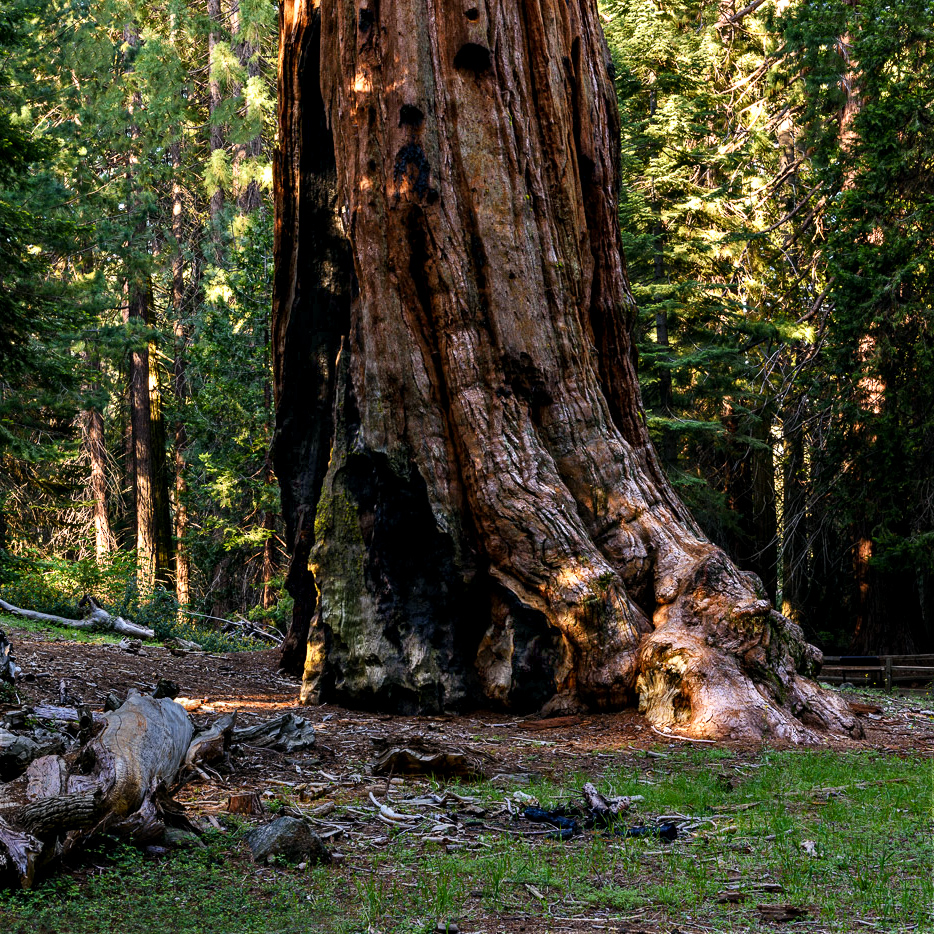
The trunk of the tree is impressive. The size, form, and texture of the tree is great. I like the warmth of the dappled sunlight. Your perspective provided a good story of decay and fallen branches. Great find, Randy.
My edits:
I cropped the image, darkened the background and most of the foreground. I also lightened the shadows in the hollow of the tree to show more detail. I left a few branches bright in the foreground and added a little warmth. My intent was to guide the viewer's eye to the tree trunk. Just my thoughts. Posted: 10/11/2026 19:36:28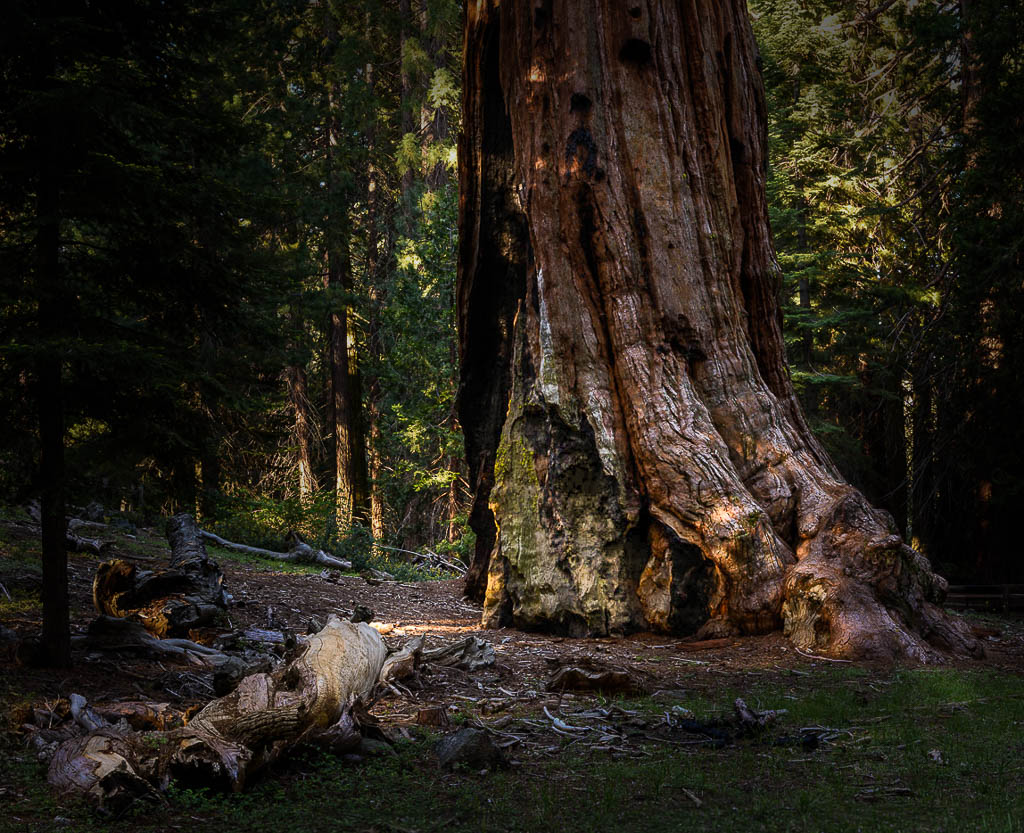
My edits:
I cropped the image, darkened the background and most of the foreground. I also lightened the shadows in the hollow of the tree to show more detail. I left a few branches bright in the foreground and added a little warmth. My intent was to guide the viewer's eye to the tree trunk. Just my thoughts. Posted: 10/11/2026 19:36:28
Thank you, Barbara. Your editing suggestions are appreciated. I like the idea of a vignette to help bring focus onto the tree more directly. Playing with the light and dark sections of the photo is something I will be experimenting with. Thanks. Posted: 10/11/2026 21:00:40
I'm not usually a fan of vignettes, but the vignetting really works well here, Barbara. Posted: 10/12/2026 13:00:16